
Introduction: why understanding search matters now more than ever
October 2023 — and every year beside it — marks another pivot point in how we find and use information. Search engines do more than serve links: they shape how audiences discover ideas, buy products, learn new skills, and form opinions. That makes changes to search systems meaningful for publishers, businesses, and creators who rely on an open web.
At WordCamp US, Danny Sullivan — a long-time guide between Google and the public — explained how Google Search works today, why it keeps changing, and what those changes mean for people who publish on the web. His talk walked through the technical basics (crawl, index, rank), the practical realities (tests, updates, spam fights), the biggest recent shift (AI, multimodality, and “AI overviews”), and the straightforward advice that still holds for content creators: focus on people first.
This article captures that talk in full and expands on it: explaining key concepts, pulling out the useful advice, and offering practical next steps for site owners, writers, and marketers. Whether you missed the presentation, prefer reading to watching video, or want a concise reference to share, this piece will walk you through everything Danny covered — and then some.
Outline
- How search works: crawl → index → ranking
- Signals, ranking systems, and why there is no single “score”
- The core challenges for modern search: new queries, ambiguous language, and fresh events
- How Google tests and ships changes (and what that means for publishers)
- AI and multimodality: overviews, fan-out, AI mode, and web guides
- What publishers should focus on now: content, page experience, measurement
- Practical checklist and actionable recommendations
- FAQ: common questions from site owners and creators
- Concluding takeaways and resources
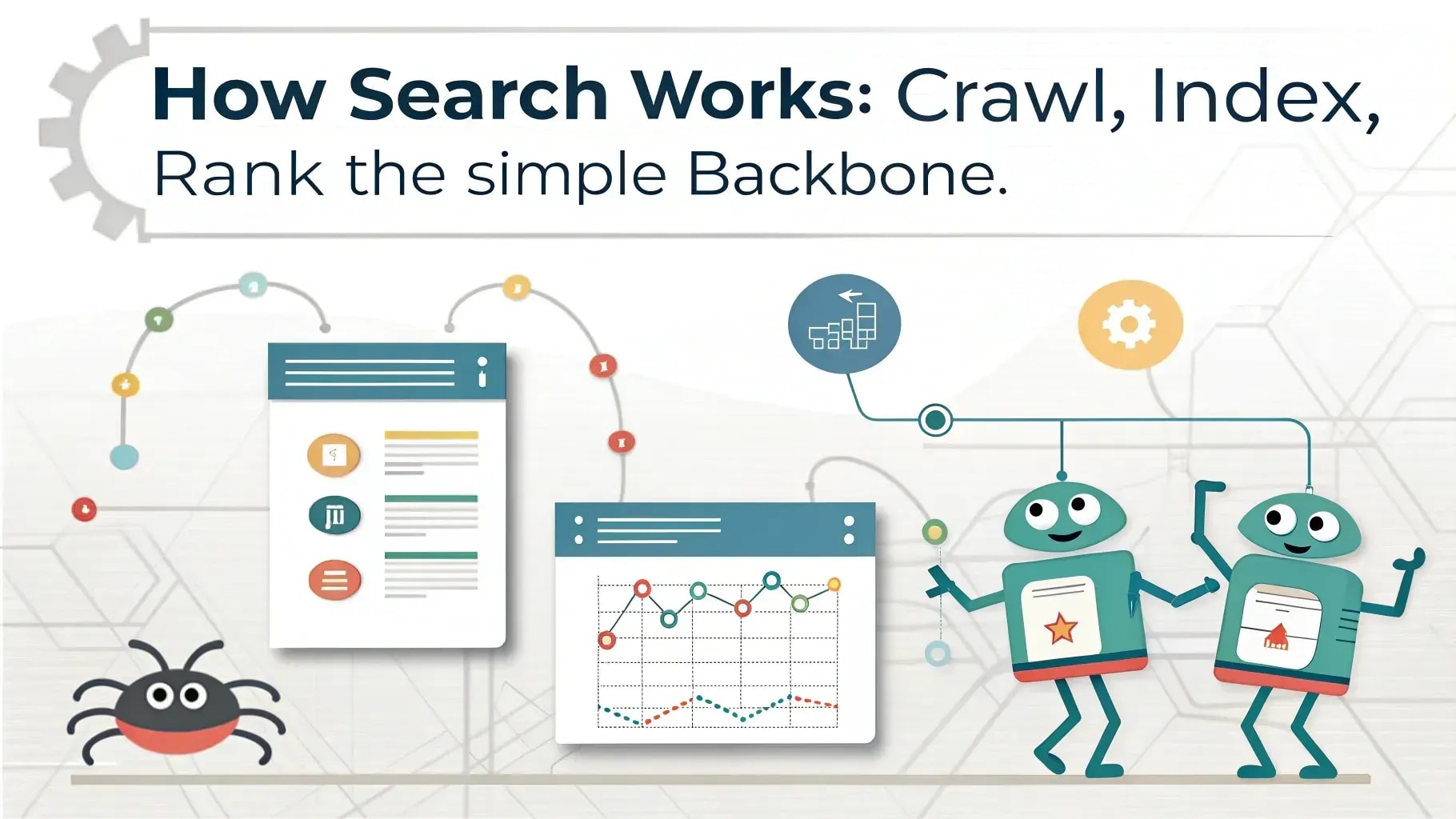
1. How search works: crawl, index, rank, the simple backbone
Google Search still follows a straightforward three-part workflow: crawl the web, index what it finds, and rank results. Each step is large-scale and constantly in motion, but understanding the basics is crucial.
Crawl — finding the content
Crawling is how Google discovers pages. Automated systems (crawlers) follow links and fetch content across the open web. This includes HTML pages, images, structured data, and — increasingly — other formats that publishers expose.
Google also ingests content from feeds, partnerships, and other sources, but the open web — the collection of pages anyone can link to and access — remains the foundation. As Sullivan emphasized, Google’s role relies on the web being open and healthy: without discoverable, linkable content, search would lose its core value.
Index — remembering what was found
Indexing is like creating an enormous book index of the web. Google stores representations of the content it crawls so it can answer queries quickly. Sullivan painted a vivid picture: the indexed pages of the web are vast enough to circle the moon many times over in length.
Indexing doesn’t mean a perfect snapshot of a page forever; it means capturing enough to understand the page’s topics, structure, and signals so search systems can make connections later.
Rank — choosing what to show and where
Ranking is the step that matters to users and publishers. When someone types (or speaks, or takes a photo of) a query, search systems examine the indexed corpus and select what to show — in what order and in which display formats.
Ranking is not one single algorithm. It’s a set of many systems and models, each tuned for different intents and types of queries: news freshness, product reviews, local results, image queries, and far more. The outputs from those systems get combined and presented, and different signals weigh differently depending on the query and context.

2. Signals and systems: complexity under the hood
When people say “Google uses PageRank” as if that’s the only method, Sullivan pushes back: PageRank was one signal among many, and today there are hundreds if not thousands of signals feeding into many separate ranking systems.
Signals are pieces of information about content: the words on the page, where those words appear, how often they appear, signals about freshness, spam characteristics, authoritativeness, and more. When content includes images, signals also come from captions, nearby text, and image metadata.
Different ranking systems emphasize different signals. For topical freshness in news, recency matters. For local searches, location signals are vital. For images or short videos, different cues dominate. Machine learning models such as BERT, MUM, RankBrain, and others help interpret language, context, and relationships across content.
Why context matters
Words by themselves are often ambiguous. Consider the simple phrase “how to change a light bulb.” What does “change” mean in context? Replace? Adjust? Make brighter? The searcher’s intent can only be determined by surrounding words and context. That’s why understanding language in context — as opposed to bag-of-words matching — is a central function of modern systems.
Similarly, queries like “can you get medicine for someone pharmacy” might confuse a simple matcher that drops ‘stop words’ and tries to interpret the rest. But human meaning comes from the full combination of words: is the user asking whether they can pick up medication for another person? Are they asking about substitution? Modern models aim to preserve the nuance.
3. The biggest practical challenges search faces
Sullivan highlighted three challenges above all: a constant flow of new queries, language ambiguity and context, and user expectations that keep changing.
Fifteen percent of queries are new every day
One striking statistic Sullivan shared: roughly 15% of daily queries are new to Google. That means each day people search for things the engine has never seen before. Breaking news, viral moments, cultural events, or niche personal questions all drive these novel queries.
This creates pressure to (1) discover fresh content; (2) interpret brand-new search phrasing; and (3) present useful results within seconds or minutes of the event. Users don’t want to be told “this just happened,” they want answers now — and search must evolve to meet that urgency.
Language is messy and user queries are imperfect
People don’t always craft precise queries. They ask in natural language, incomplete phrases, or mismatched vocabulary. They might not know the right technical terms or how content creators label things. Search systems, therefore, need to bridge gaps between what users type and what content authors wrote.
To address this, Google has invested in query understanding systems that map synonyms, paraphrases, and intent. Machine learning enables interpreting meaning rather than only literal phrase matching. That drives both better relevance and more forgiving search behavior for everyday users.
Shifting user expectations
Searchers now expect more than a list of blue links. They expect multimodal answers, product identification from images, short video explanations, conversational follow-ups, and quick, actionable summaries. Younger users in particular arrive at search with different habits: they may prefer short video over long articles or want an immediate three-step answer.
Search must therefore evolve to show different formats: image carousels, video snippets, “AI overviews” that summarize multiple sources, and other novel displays. That evolution is user-driven: when people want new experiences, the product adapts.

4. Tests, updates, and the cadence of change
Google doesn’t change search in one dramatic step and walk away. Continuous testing, experiments, and staged launches form the engine of improvement. Sullivan shared scale metrics to clarify how Google ships changes.
- In 2023 Google ran hundreds of thousands to millions of internal tests to evaluate ranking tweaks and feature changes.
- Live experiments are often deployed to a subset of users to observe real-world behavior and collect feedback.
- Most months bring small, incremental updates. Up to several thousand launches (or changes) can happen across a year; many are invisible to most users.
- Occasionally, larger “Core Updates” or systemic changes are announced because their effects are sizable and worth explaining publicly.
Human evaluation and side-by-side experiments
Automated metrics alone aren’t enough. Google brings human raters into the loop: side-by-side comparisons show raters two result sets (current vs new) and ask which feels more useful. Those qualitative judgments inform whether a change should be rolled out.
But human evaluator feedback doesn’t directly rewrite ranking code; instead, it informs engineers about which models or signals tend to improve user experience, guiding system refinement.
Spam updates and cleaning the index
Spam is a moving target. Google runs periodic spam-fighting updates to de-prioritize low-quality, manipulative pages. These are often announced so that site owners can correlate traffic changes with the update and understand if a change is due to policy/algorithms rather than random fluctuation.
Engaging in practices like scraping, cloaking, or keyword stuffing can lead to reduced visibility due to a spam update. Conversely, cleaning out spam and improving quality can raise the visibility of better sources.
5. AI, multimodality, and “AI overviews”: a new frontier
Perhaps the most visible evolution in recent months has been the application of large language models and multimodal systems inside search. These systems affect both the user experience and the opportunities for content creators.
What are “AI overviews” and why do they exist?
AI overviews are condensed summaries that synthesize information from multiple sources to give searchers a coherent starting point. Instead of only showing a ranked list, an overview provides an aggregated, human-readable synthesis: what matters, the high-level answer, and links to explore further.
Sullivan framed these overviews as an expansion of search capability: rather than replacing the web, overviews can be a “jumping off point” that directs users to deeper content across the open web. The goal is to help users discover and explore — not to lock them into a single answer box.
Query fan-out: how long queries become many queries
Fan-out explains why an AI overview might display different links than the blue links you see on a standard result page. When a user types a complex query — e.g., “e-bikes for a five-mile commute with hills” — the system can break that long query into multiple related sub-queries (commuter e-bikes, battery range, hill-climbing torque, local dealers). It then pulls results across this spread and synthesizes them into a broader, multi-faceted overview.
Think of fan-out as the system doing the work of an expert librarian who reads across a dozen books and organizes the key points into sections. The result can be a wider set of links and perspectives than a single keyword-based ranking would surface.
AI Mode and conversational search
AI Mode provides a chat-like, conversational way to interact with search. Rather than one-shot queries, you can ask follow-ups, refine, and have context carried forward. This mirrors the natural human tendency to ask clarifying questions and drill down into a topic.
Conversational search reduces friction for complex tasks. Instead of retyping a new query each time, users can say “what else should I consider?” and the system understands the prior context and adapts. For creators, this means different types of content may surface depending on the conversational path users take.
Multimodal search: images, video, and more
Search is no longer only words. Multimodal search allows images, video, or audio to be input and interpreted. Users can circle an object in a photo to identify it, take a short video of malfunctioning equipment and ask “what’s happening here?”, or submit a snapshot to find products that match.
These capabilities create new channels for engagement: a product page with clean images and structured metadata may perform better when users search visually. Tutorial pages that combine step-by-step photos or short videos may be more useful than text alone for certain users.
Web Guide experiment: organized blue links
Not everyone prefers AI summaries. Some users still want structured blue-link lists. The Web Guide experiment uses AI to organize blue links into categories and subtopics — essentially AI-assisted curation of conventional results. This hybrid retains the familiar list format while adding organization and context to aid discovery.
The Web Guide currently appears in experimental tabs, but it demonstrates the variety of ways AI can be used: either to summarize or to organize links for users who prefer the traditional approach.

6. What this means for content creators: the practical advice
Everyone wants a simple checklist: “Do this meta tag and you’ll win.” Sullivan’s message — and the guidance he offered to creators at WordCamp — was steadier and more sustainable: focus on making content useful for people.
Core principle: good SEO is still good for people
Despite all the new acronyms (GEO, AEO, LLM-SEO, etc.), the core of successful search presence hasn’t changed: make content people find genuinely useful. Write clearly, be original, surface unique expertise, and present information in a way that helps visitors accomplish their goals.
Sullivan repeatedly emphasized “unique, valuable content for people.” Unique here means you offer insight, organization, data, perspective, or first-hand knowledge that other pages don’t already provide. A valuable page helps the visitor complete a task, answer a question, or learn something meaningful.
Practical page-level guidance
- Answer the user’s needs quickly: If the page’s main purpose is to deliver an instruction, recipe, or product specs, put those elements front and center so users don’t have to hunt.
- Structure content for readability: Use clear headings, short paragraphs, lists, and images where appropriate. A readable structure helps both users and search systems understand intent and key points.
- Avoid ritualized signals that don’t help users: Adding “expert reviewed” badges or filler author bios just to please an algorithm is less effective than showing genuine expertise and transparent sourcing.
- Support multimodal content: If it makes sense, include images, captions, video clips, and diagrams. Multimodal pages can perform better for visual or how-to queries.
- Focus on page experience: Fast load times, mobile responsiveness, accessible layouts, and uncluttered design all matter. If a visitor comes and immediately bounces, the page experience is poor.
- Be original and trustworthy: Cite sources, show provenance for data, and highlight unique reporting or firsthand testing.
Technical checklists that actually matter
Rather than chasing every possible signal, make sure the basic technical fundamentals are right:
- Ensure pages are crawlable and indexable (no accidental noindex tags or blocked resources).
- Use structured data where it helps users and search systems (recipes, events, product data) but don’t try to fake it.
- Optimize images (alt text, descriptive filenames, compression) to support visual search and accessibility.
- Keep a fast, responsive mobile experience. Mobile-first indexing is the norm.
- Test and fix Core Web Vitals issues: largest contentful paint, cumulative layout shift, and interaction latency.
Measurement: don’t rely on vanity metrics alone
Traffic numbers alone don’t show the business value of search activity. Sullivan underscored the importance of measuring outcomes: subscribers, conversions, engagement time, and lead quality. If your site is getting fewer clicks but higher-quality visitors who convert more, that outcome can be more valuable.
Google’s Site Kit is one tool Sullivan called out. It integrates analytics and other Google product data directly into the WordPress dashboard, simplifying measurement for non-technical site owners. Other tools (Google Analytics, Search Console, server logs, CRM funnels) remain essential to understand how search visitors behave post-click.
Direct relationships still matter
Sullivan urged publishers to capture first-party relationships: email subscribers, newsletters, memberships, and social followers. If search behavior shifts, having a direct line to your audience reduces dependency on any single channel. He also mentioned revenue tools that help build newsletters and manage subscriptions.
7. What to stop doing right now: myths and bad habits
Sullivan offered plain language advice about myths publishers often believe. Three of the most damaging ones:
- Stop chasing arbitrary word counts. Write as long or as short as your topic warrants. Quality matters far more than hitting an artificial length target.
- Stop adding meaningless “signals” for search engines. Labels like “expert reviewed” or perfunctory author bios won’t fool users or rankers if the underlying content lacks substance.
- Stop optimizing for supposed secret signals. The search landscape changes, so obsessing over a mysterious tag or vector field misses the point. Focus on content that genuinely helps people; signals will follow.
The core message: do the work that benefits human visitors, not the narrow work of gaming algorithms.
8. Real examples and anecdotes (and what they teach us)
Sullivan sprinkled everyday stories through his talk to illustrate how search expectations and behaviors actually play out. These are instructive because they move abstract systems into concrete scenarios you might recognize.
Pancakes and conversational search
If you walk into a library and only say “pancake,” a helpful librarian might ask follow-up questions: “Are you looking for recipes, local restaurants, history, or pancake-eating contests?” Traditional search has been more like dropping a single term and hoping the engine guesses. Conversational AI in search lets the system ask or infer context: Did you mean a recipe? A nearby diner? A news item about a world record pancake-eating?
The takeaway: when search can “converse,” users can refine intent without typing an entirely new query. For publishers, clarity about page purpose (recipe, review, guide, news) helps match those contexts.
Multimodal “what’s happening” videos
Sullivan described experiments where users submit a short video (e.g., “the tonearm on my record player keeps skipping”) and receive a diagnostic answer. This demonstrates how multimodal inputs solve real-world problems: users often can show more than they can describe. Site owners whose pages include short diagnostic videos or annotated photos may be more useful to such users.
Fan-out and specialized queries
Complex queries like “e-bikes for hilly five-mile commutes” are not one-dimensional. Fan-out allows the system to interpret sub-problems (battery range, motor torque, hill-climbing specs, frame weight) and return a synthesis. For content creators, producing focused, authoritative sections on subtopics within a larger guide helps surface those specific needs.
9. Practical checklist: what to do this week, this quarter, and this year
Here is a pragmatic plan you can adopt, split into short-, medium-, and long-term actions.
This week
- Install or check Site Kit (if on WordPress) and ensure Search Console and Analytics are connected.
- Audit your top-performing pages: are the main answers easy to find above the fold? Can a user grab what they need in 10–30 seconds?
- Fix obvious page experience problems: slow images, blocked fonts, huge layout shifts.
- Identify 2–3 pages where adding images, captions, or short videos would clarify instructions or showcase your product.
This quarter
- Map high-value user journeys (search → page → conversion). Where do visitors drop out? Address those friction points.
- Produce unique content that only you can create: original testing, interviews, local knowledge, or proprietary data.
- Implement structured data where relevant (recipes, events, product schema) to improve how your content can be surfaced.
- Set up conversion tracking beyond just sessions (newsletter signups, contact forms, purchases).
This year
- Invest in a content model that supports multimodal assets: clean product images, step-by-step photos for how-to pages, and short explanatory videos.
- Build direct-audience channels: grow your email list, membership base, or social following so traffic volatility matters less.
- Run periodic content audits: remove outdated pages, merge thin content, and refresh evergreen material.
- Experiment with new formats: if users in your niche are watching short videos, test short-form clips that complement your long-form content.
10. Measurement: how to know whether changes are working
Measurement should focus on outcomes, not just traffic numbers. Here are the metrics to track and why they matter.
- Organic impressions: Useful for understanding reach and how often Google is presenting your site for queries.
- Click-through rate (CTR): Observed CTR can drop even as impressions rise when Google shows new overview formats. CTR alone can be misleading.
- Engagement and session duration: Are visitors spending time and interacting with your content? Higher engagement often correlates with better value to users.
- Conversions: Newsletter sign-ups, purchases, lead submissions — the real business outcomes you care about.
- Return visitors and lifetime value: Building direct relationships can increase the value of each visitor over time.
Tools to use: Site Kit (for WordPress ease), Google Search Console (queries, impressions, clicks), Google Analytics (behavior and conversions), and server logs for raw access patterns. Combine these to form a coherent picture of how search-driven traffic supports your goals.
11. Common questions from WordCamp attendees — answered
Q: Why did my clicks fall after Google introduced AI overviews?
A: You’re not alone. AI overviews and other result formats can shift where users click. Sometimes impressions rise while CTR falls because Google gives users answers directly in the overview. But that does not always mean less value: Sullivan pointed out that the visitors who do click may be more engaged and higher quality. Track conversions and lead quality; if those metrics hold or improve, the business impact can still be positive.
Q: Should I be terrified of AI replacing website traffic?
A: No — but be realistic and adaptive. AI can present summaries or extract factual answers for simple queries. However, unique depth, original reporting, proprietary data, and experiences that require human judgment remain valuable and necessary. Focus on content that can’t be replaced by a generic summary and create formats (guides, long-form analysis, niche expertise) that encourage users to click through.
Q: Should I optimize for AI Mode specifically?
A: You can’t optimize for a single mode directly. Instead, cover user intents comprehensively, structure information clearly, and include contextual evidence, citations, and multimodal assets. That approach helps your pages be useful whether users encounter them via blue links, AI overviews, or conversational paths.
Q: Is Site Kit enough for measurement?
A: Site Kit is a good starting point, especially for WordPress users who want an integrated view. But depending on your needs, you may want to combine it with Google Analytics 4 (or other analytics), server logs, and CRM data to measure conversions and attribution more thoroughly.
Q: What if I produce commodity content? Can I still win?
A: Commodity content — product listings, standard specifications, etc. — is harder to stand out in. To win, add unique value: buyer guides, hands-on testing, comparative charts, local availability, or expert commentary. Even modest original insights can differentiate your page from template-driven competitors.
12. Frequently Asked Questions (FAQ)
How does Google decide when to show an AI overview instead of traditional results?
Google evaluates query complexity, user behavior signals, and whether summarization would be genuinely helpful. Complex, multi-faceted queries and tasks where synthesis reduces friction are more likely to trigger an AI overview. Google is also experimenting with settings that let users choose “AI Mode” if they prefer conversational results.
Will AI overviews remove the need for websites to host content?
No. Even when overviews summarize, they typically include links and pathways to the open web. Google’s stated aim is to highlight high-quality content on the web and make that content discoverable — not to replace it. Publishers who provide depth and unique reporting will still be valuable destinations for users who want to dive deeper.
How should I structure content for multimodal search?
Include clear, high-quality images with descriptive alt text and captions; use short instructional videos where helpful; structure guides with headings and step-by-step photos. Ensure that image metadata and sitemaps contain relevant information, enabling search systems to match visual queries to your assets.
What are “core updates,” and should I panic when they happen?
Core updates are broad ranking changes that can affect many queries. They are part of ongoing efforts to improve overall result relevance. If you see volatility after a core update, don’t panic. Review your content for its usefulness and uniqueness, measure upstream outcomes (conversions), and follow sustained trends rather than day-to-day fluctuations.
How can small websites compete in this changing landscape?
Small sites can compete by focusing on niche expertise, local knowledge, original reporting, or highly specific use-cases. Building a direct audience (email list, community, membership) amplifies the long-term value of traffic you earn from search. Also, prioritize page experience and clear answers for users to stand out.
Should I prioritize video or text?
It depends on your audience. Some niches benefit greatly from short videos (DIY, cooking, product demos). Others prefer long-form text (in-depth analysis, technical guides). The best approach is mixed: create long-form text for depth and supplement with images and short videos to aid comprehension and multimodal discovery.
13. Quotes and commitments to remember
“We are committed to highlighting high-quality content on the web and continuing to refine how we do it.” — paraphrase of the public commitment from the head of Google Search shared by Danny Sullivan.
Keep this in mind: Google repeatedly stresses that a thriving open web is central to its mission. Changes to search are ideally intended to surface the best available content and connect users to that content in better ways.
14. Final takeaways: steady priorities in a changing world
Search is changing — rapidly in some areas, incrementally in others. But the practical priorities for creators remain familiar and enduring:
- Put human usefulness first. If your content helps visitors accomplish a task or learn something, you’re on the right track.
- Be original and add value. Unique angles, firsthand reporting, and proprietary data have disproportionate value.
- Make pages easy to use. Clear structure, fast performance, and mobile friendliness matter more than ever.
- Measure outcomes, not just clicks. Code your analytics to reveal conversions, subscribers, and revenue so you can judge impact accurately.
- Build direct relationships. Email lists, memberships, and social communities reduce reliance on any one distribution channel.
Sullivan’s message at WordCamp US is pragmatic and reassuring. The dust stirred up by AI and new interface models can feel worrying — but thoughtful creators who build authentic, useful content and measure its impact have reasons to be optimistic. Google’s ongoing experimentation aims to serve users better, and better service for users should, in principle, favor sites that create genuinely helpful experiences.
If you want to hear the talk directly, watch Danny Sullivan’s full presentation on the WordPress YouTube channel for the nuances and the live Q&A. His explanations remain among the clearest bridges between search engineers and the publishing community.
Resources and next steps
- Watch the full WordCamp US talk: WordPress channel on YouTube (search for “Danny Sullivan How and why Google Search keeps evolving”).
- Install Site Kit for WordPress and connect Search Console / Analytics to your site dashboard.
- Audit your top five pages this week for content clarity, page experience, and conversion opportunities.
- Review Google’s public documentation on structured data, Core Web Vitals, and search quality guidelines.
FAQ — short, direct answers to the questions people most often ask
Is SEO dead because of AI overviews?
No. SEO as “making content discoverable and useful” is alive. The tactics that work are the ones that make your content genuinely helpful and easy to use. AI features in search add new opportunities and new user behaviors, but core practices still drive success.
Will Google stop sending traffic to websites?
Not intentionally. Google’s stated goal is to connect users to the most relevant sources. While direct answers or overviews may reduce some clicks for certain queries, they often lead to deeper exploration for complex tasks. Publishers should track conversions and the lifetime value of visitors rather than only raw click counts.
What is the single best change I can make to my site right now?
Make your most important page immediately useful: front-load the answer, use clear headings, add supporting images or short videos, and ensure the page loads quickly on mobile.
How can I future-proof my content?
Focus on durable qualities: unique insights, first-hand reporting, original research, strong visuals, and a good user experience. Build an audience you can reach directly.
Closing
Change can be unsettling, but it is also an invitation. The evolution of Google Search — from improved language understanding to multimodal inputs and AI overviews — creates new ways for people to find and use content. Creators who center their work on human usefulness, clarity, and unique value will continue to be discoverable, meaningful, and rewarded.
At the heart of Sullivan’s WordCamp US talk is a lasting truth: when the web is healthy, everyone benefits. Building a better web means building better content — and that is work every creator can do today.
